Billing & Plans
Learn about Sesquatch pricing plans, how to manage your subscription, and billing details.
Plans Overview
Sesquatch offers two plans to fit your needs. Start free and upgrade when you need more.
Free
$0/month
Perfect for getting started and small projects.
- 3 email templates
- 1 AWS connection
- 1 team member (you)
- 7-day activity logs
- Template versions
- Template editor
- Desktop & mobile preview
- Test emails
- Basic support
Pro
$9.99$4.99/month
or $49.90/year (save 2 months) • Sale pricing for teams and growing businesses.
Everything in Free, plus:
- Unlimited email templates
- Up to 3 AWS connections
- Up to 10 team members
- 90-day activity logs
- Priority support
Upgrading to Pro
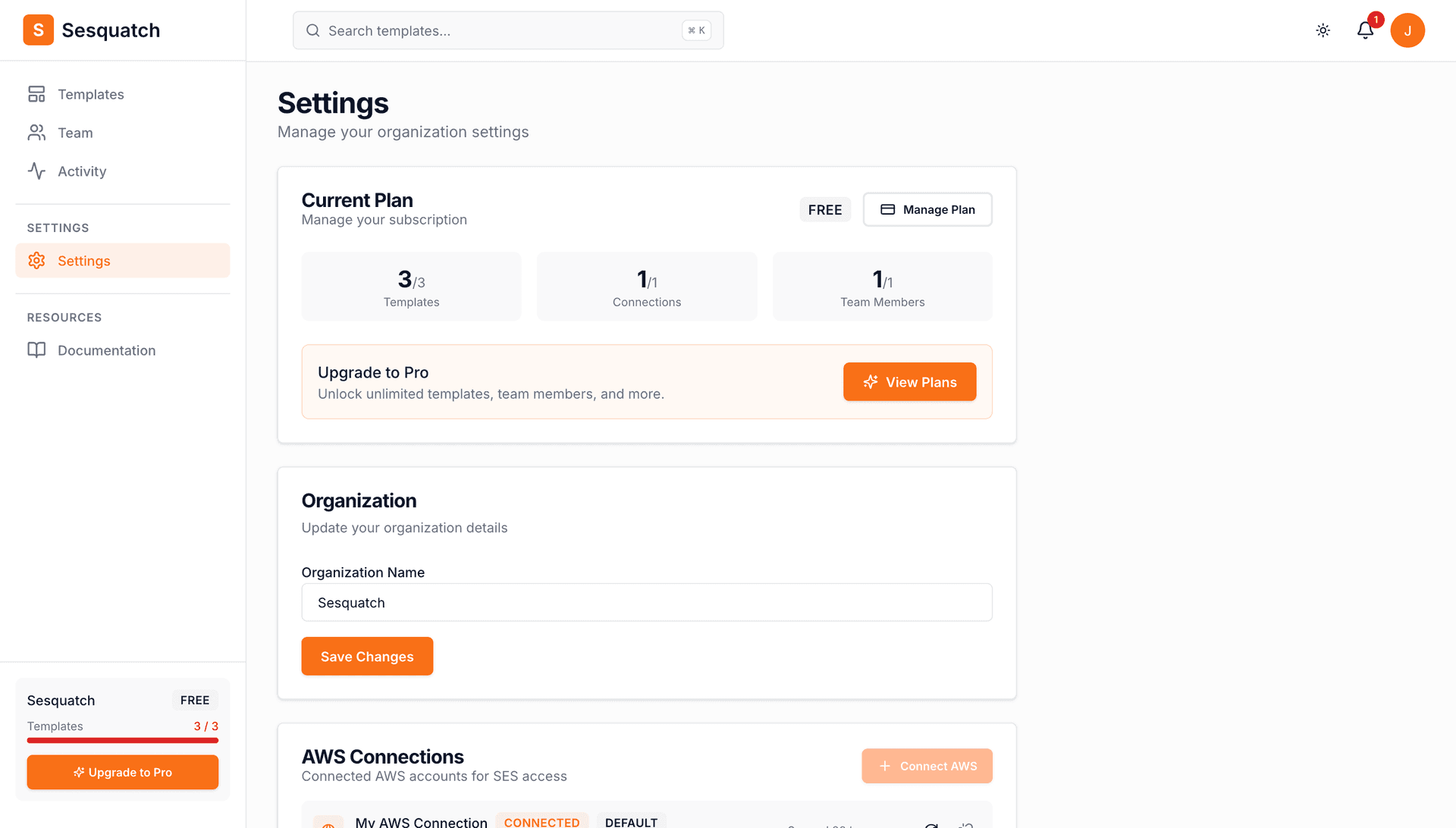
Upgrade to Pro at any time to unlock unlimited templates, connections, and team members.
- 1.Go to Settings in your dashboard
- 2.Click on the Plan section
- 3.Click "Upgrade to Pro"
- 4.Enter your payment details
- 5.Confirm your subscription
Instant Access
Once you upgrade, you'll have immediate access to all Pro features. Your billing cycle starts on the day you upgrade.
Downgrading to Free
You can downgrade to the Free plan at any time. Your subscription will remain active until the end of your current billing period.
- 1.Go to Settings → Plan
- 2.Click "Downgrade to Free"
- 3.Confirm your decision
Before You Downgrade
Make sure you're within Free plan limits before downgrading. If you have more than 3 templates, 1 connection, or additional team members, you'll need to remove the excess before your Pro subscription ends. Team members beyond the owner will lose access when the downgrade takes effect.
Managing Payment Methods
You can update your payment method at any time from the billing settings.
- 1.Go to Settings → Plan
- 2.Click "Manage Billing"
- 3.Update your payment method in the billing portal
We accept all major credit cards including Visa, Mastercard, and American Express. Payments are processed securely through Stripe.
Invoices & Receipts
Access your invoices and payment history from the billing portal.
- 1.Go to Settings → Plan
- 2.Click "Manage Billing"
- 3.View and download invoices from the billing history section
Invoices are automatically sent to your account email after each payment. You can also update your billing email in the billing portal.
Cancellation Policy
You can cancel your Pro subscription at any time. Here's what happens when you cancel:
- •You'll retain Pro access until the end of your current billing period
- •Your data and templates are preserved when you downgrade
- •You can reactivate Pro at any time to regain access to all features
- •No refunds are provided for partial billing periods
Frequently Asked Questions
What happens if my payment fails?
If a payment fails, we'll retry a few times and notify you by email. You'll have a grace period to update your payment method before your account is downgraded to Free.
Can I get a refund?
We don't offer refunds for partial billing periods. However, if you're unhappy with the service, please contact support and we'll do our best to help.
Do you offer annual billing?
Yes! Choose annual billing when upgrading to save $9.98 per year ($49.90/year vs $59.88/year with monthly billing).
Who can manage billing?
Organization Owners and Admins can manage billing and change plans. Editors and Viewers cannot access billing settings.